NewsBytes

Mobile App UIUX Design Case Study

img

Project Overview

NewsBytes is a redesigned mobile news app offering a faster, cleaner, and more personalised reading experience. I simplified the cluttered UI, improved navigation, and built a scalable design system—delivering a more intuitive and consistent product end-to-end.

About NewsBytes

NewsBytes is an Indian media-tech company that uses AI to create concise, contextual news for its platform and partners. Founded in 2015 by IIT, IIM, and Ivy League alumni, it aims to reduce information overload by delivering precise short(50 to 60) words news with essential background context.

Problem Statement
img

The existing app experience suffers from several UI/UX challenges, including complex navigation, a cluttered interface, inconsistent design patterns, poor content formatting, and minimal personalization, missing valuable features—resulting in a fragmented and frustrating user experience.
img
img

Possible Solution

img

I redesigned NewsBytes to deliver a cleaner user interface, faster, and more personalised reading experience with improved readability, simpler navigation, and a consistent design system and add valuable features creating a seamless and engaging modern news app, so that user can feel a amazing user experience.

Process Highlights

My Role

Product Designer

Project Team

4 Members

Timelines

4 Weeks

Tools Used

Figma, Notion, Jira, Meets

Design Process

img

Discovery Phase

To effectively redesign the NewsBytes app, I began with an in-depth discovery phase to understand the product, user behavior, identify usability issues, uncover missing features in the existing app.

User Interviews

Conducted interviews with 6–8 users in-person and 2–4 via phone of news app users (ages 18–60) including professionals, retired individuals, and students, to understand their habits, needs, and frustrations with the NewsBytes.


We got the following insights from them.

Users expect a clean and intuitive navigation flow where top stories, categories, and personal interests are easy to access without scrolling through cluttered screens.

Users prefer an engaging, Instagram-like swipe experience for consuming news — especially vertical videos and short “reel-style” summaries — as it feels faster, easy.

Users want brief, digestible summaries first, with an easy option to expand into the full story whenever required.

Competitive Analysis

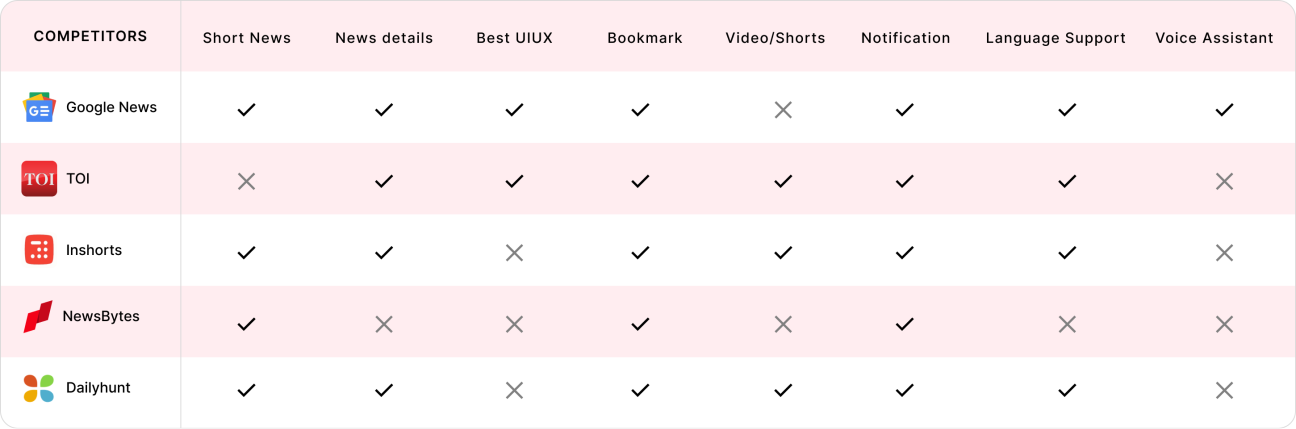
Analysed top competitors to understand their strengths, weaknesses, and the user experience standards that NewsBytes must meet or exceed.
analysis_table

App Review Analysis

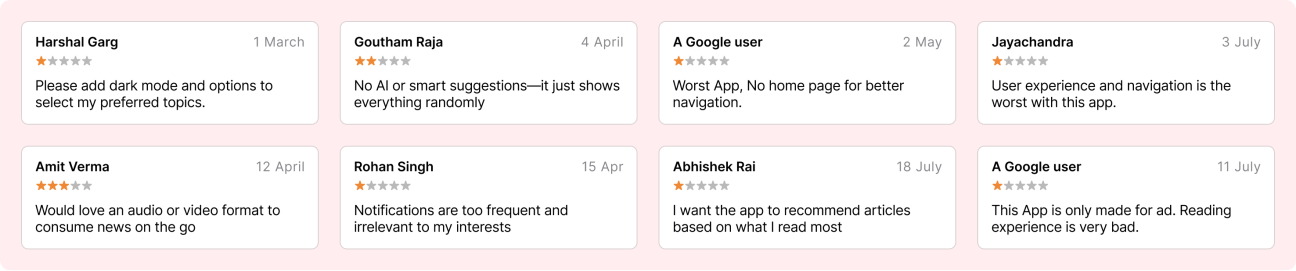
Analysed App Store and Play Store reviews to uncover real user frustrations, feature requests, and usability issues.
analysis_rating

Heuristic Evaluation

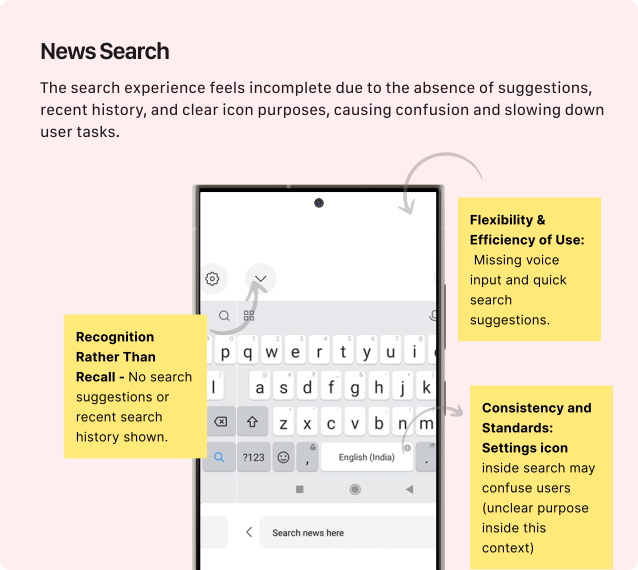
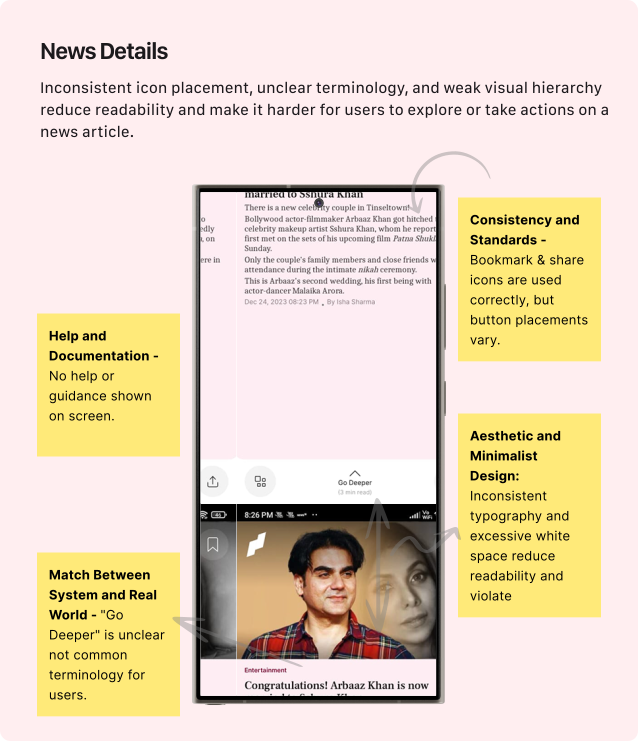
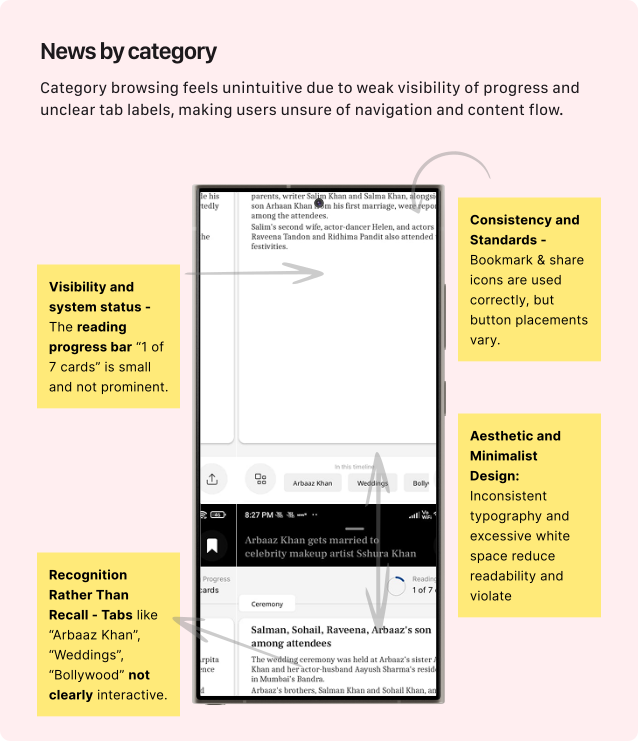
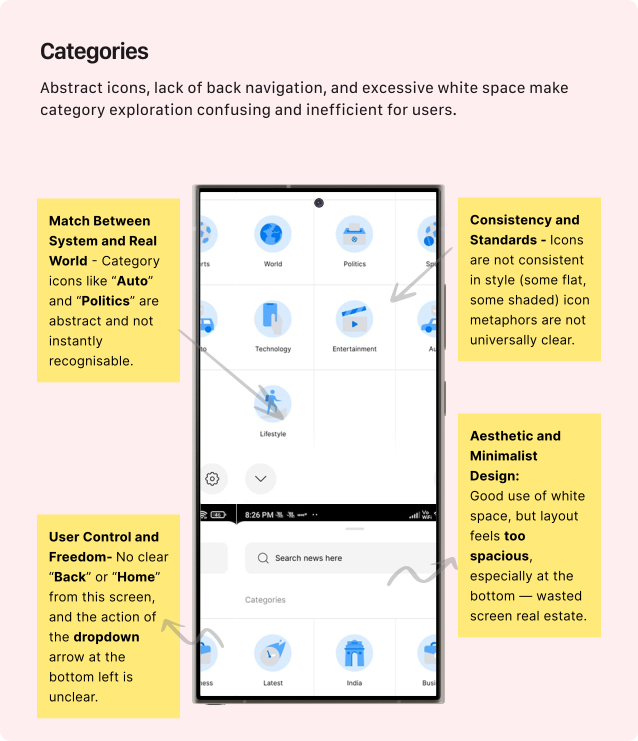
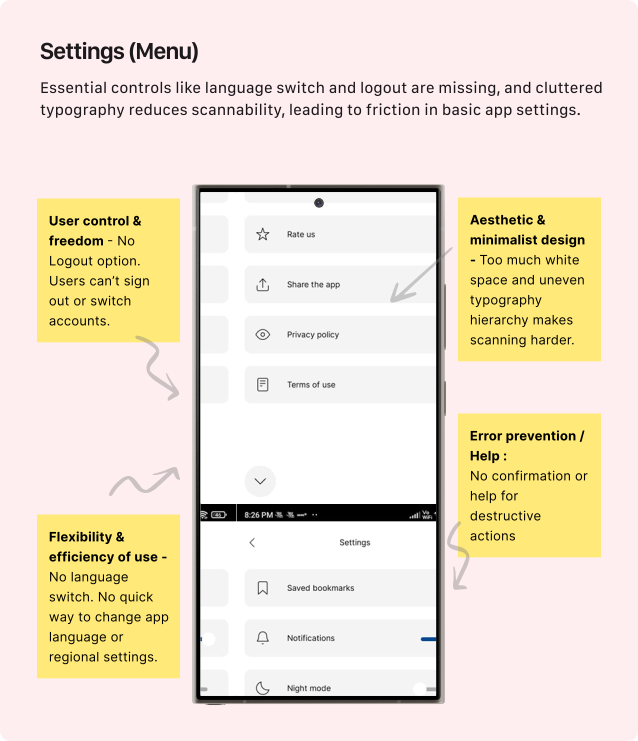
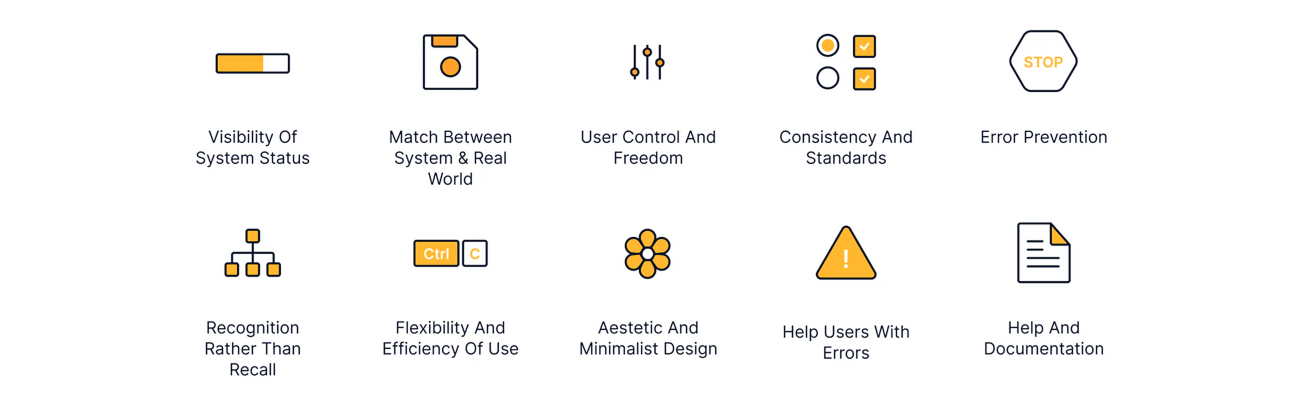
Conducted a heuristic evaluation using Nielsen’s 10 principles to identify major UX issues such as inconsistent navigation, weak feedback, and poor error handling.
evaluation

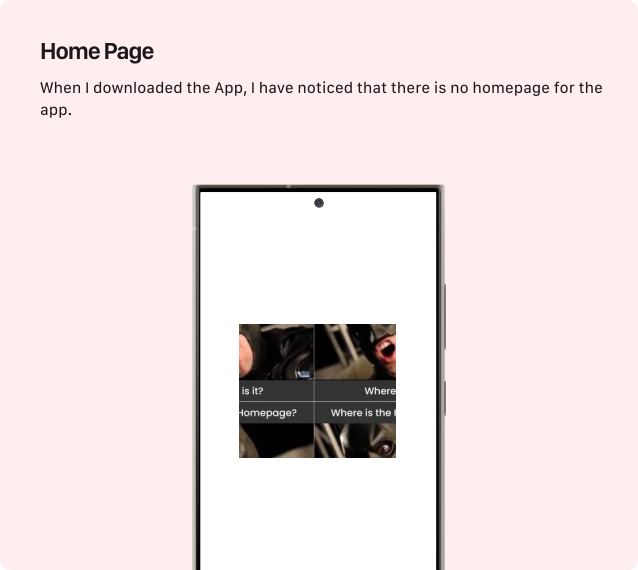
Key Problems Identified after Heuristic Evaluations.
problems_identified
problems_identified
problems_identified
problems_identified
problems_identified
problems_identified

Define Phase

The Define phase helped transform scattered findings and insights into specific user pain points and design goals.

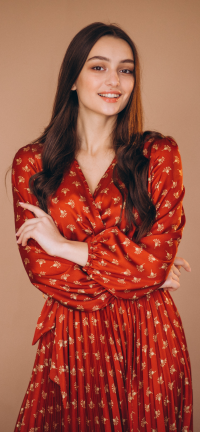
Persona 1

img

Sakshi Mehta

  • 27 years
  • Journalist
  • Unmarried

Bio

Digital journalist delivering fast, reliable news with accuracy and clear storytelling.

🎯 Goals
  • Stay updated with real-time national and international news.
  • Quickly access reliable sources for fact-checking.
  • Save or share important stories for research and reporting.
  • Save important articles for future reporting.
🧩 Need
  • Verified, credibility-checked news updates.
  • A clean, clutter-free layout for fast reading.
  • Personalised recommendations based on his interests.
  • Quick/swipe-based navigation to jump between stories.
😣 Frustrations
  • Difficulty tracking important updates due to poor navigation.
  • Difficulty finding trustworthy news sources.
  • Long, overwhelming articles on traditional news apps.
  • Cluttered interfaces and bad navigation slowing down research.

Persona 2

img img

Ramesh Pandey

  • 56 years
  • Doctor
  • Married

Bio

Senior doctor seeking quick, trustworthy news with simple navigation and clarity.

🎯 Goals
  • Quickly stay updated on major national and health-related news.
  • Access reliable, verified information without sensationalism.
  • Read in short breaks between appointments.
  • Save important articles to read later when free.
🧩 Need
  • Clean, easy-to-read interface with larger text options.
  • Short summaries with an option to open full articles.
  • Personalized categories like health, politics, and local news.
  • Video/news shorts for quick consumption.
😣 Frustrations
  • Long, cluttered articles with too much unnecessary content.
  • Small fonts and poor readability, especially on mobile.
  • Unverified or sensational news affecting trust.
  • Frequent ads interrupting reading flow.

Finding & Insights


After conducting extensive research through user interviews, app review analysis, competitive analysis, and heuristic evaluation, I gathered a large volume of feedback. This research helped identify key user pain points, usability issues, and opportunity areas, which later informed data-driven design decisions.

  • To improve overall usability by introducing a clear homepage, simplifying navigation, user flow and enhancing content readability, and making key actions like search, bookmarking, like and sharing more discoverable and intuitive.
  • To deliver faster news consumption by offering short summaries, swipe-based navigation, and video/shorts formats that match modern user habits and reduce reading time.
  • To increase user trust by showing verified sources, reducing sensational content, and maintaining a clean, distraction-free reading environment.
  • To enhance personalization by tailoring news categories, local updates, and recommendations based on user interests and reading patterns.
  • To reduce user frustration by minimizing ads, avoiding clutter, and creating a smoother, more consistent experience across the entire app.

Ideation Phase

After analyzing the data and brainstorming, I was clear about the required features and actions. I quickly moved on to mapping the user flow and creating wireframes.

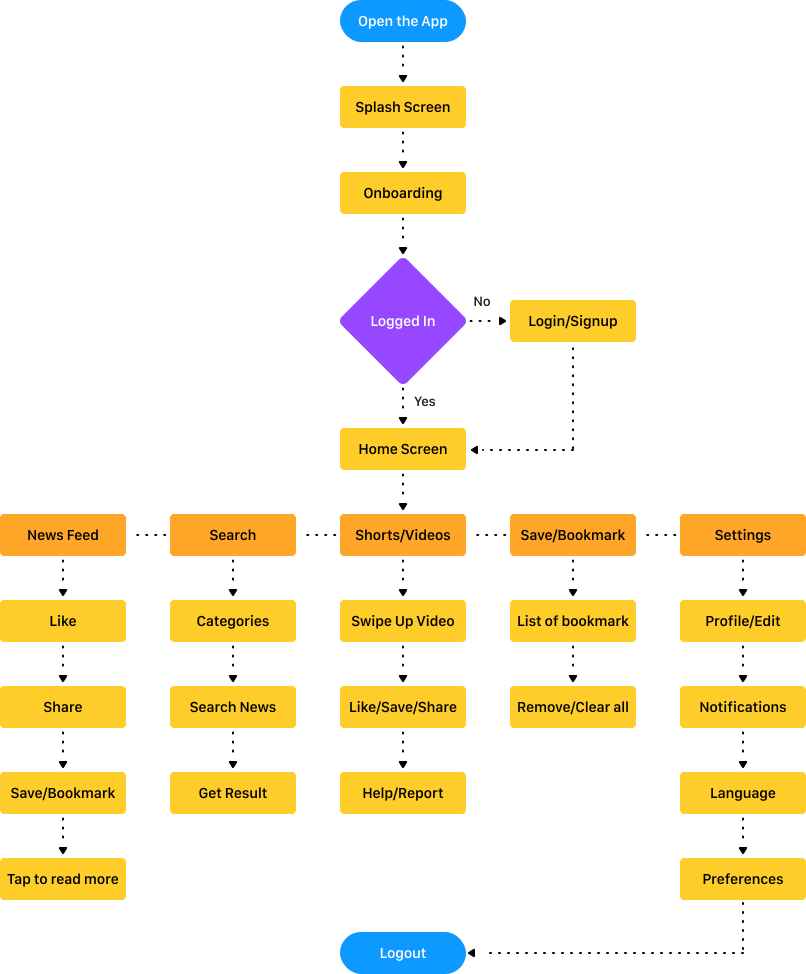
User Flow

After the research and analysis, it was time to begin the redesign. The task flow below brings everything together before moving into ideation and screen redesign.

user_flow

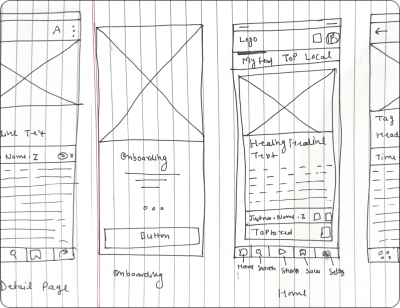
Sketches

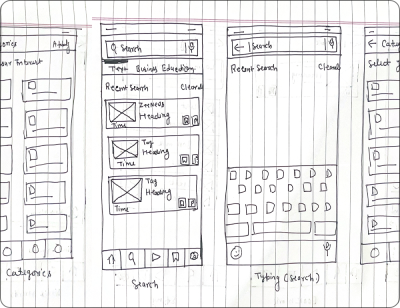
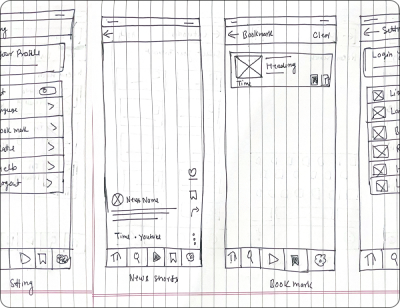
Rough sketches were done to get my initial thoughts on paper and brainstorm new ideas for specific UI elements.

schetches
schetches
schetches

Visual Guidelines

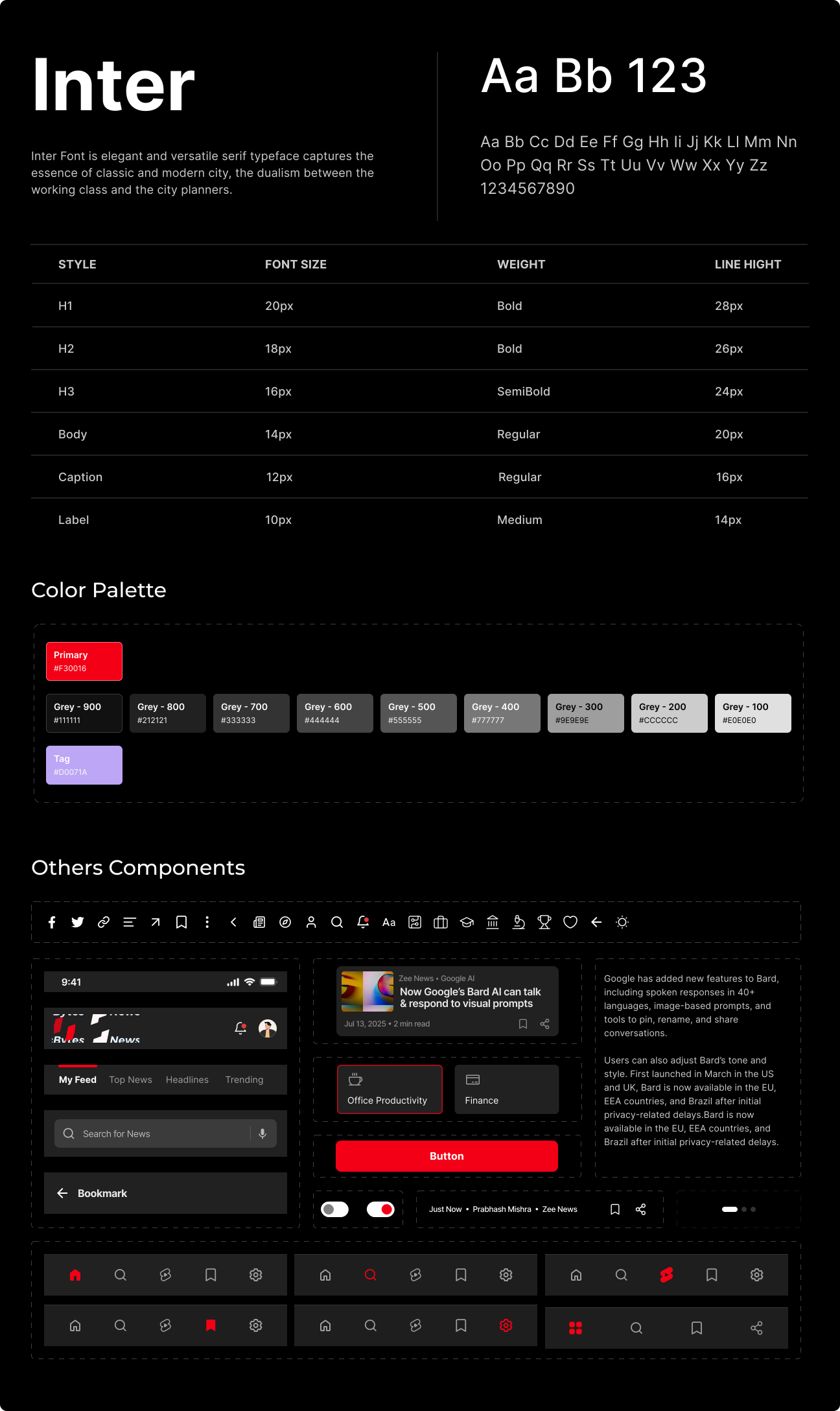
The NewsBytes Visual Guidelines were created to establish a clear and scalable visual foundation for the product, ensuring consistency across screens and platforms. This section offers a concise preview of the design system, highlighting the core principles, typography, color strategy, and component standards that drive a cohesive and recognizable user experience.

Visual Guidelines

Visual Design

After initial rounds of discussions and agreement on the design language, we proceeded to Visual Design. Since we had already agreed on the mood board, it was easy for us to settle on a design language.

PART 1

Splash & Onboarding

Visual Design

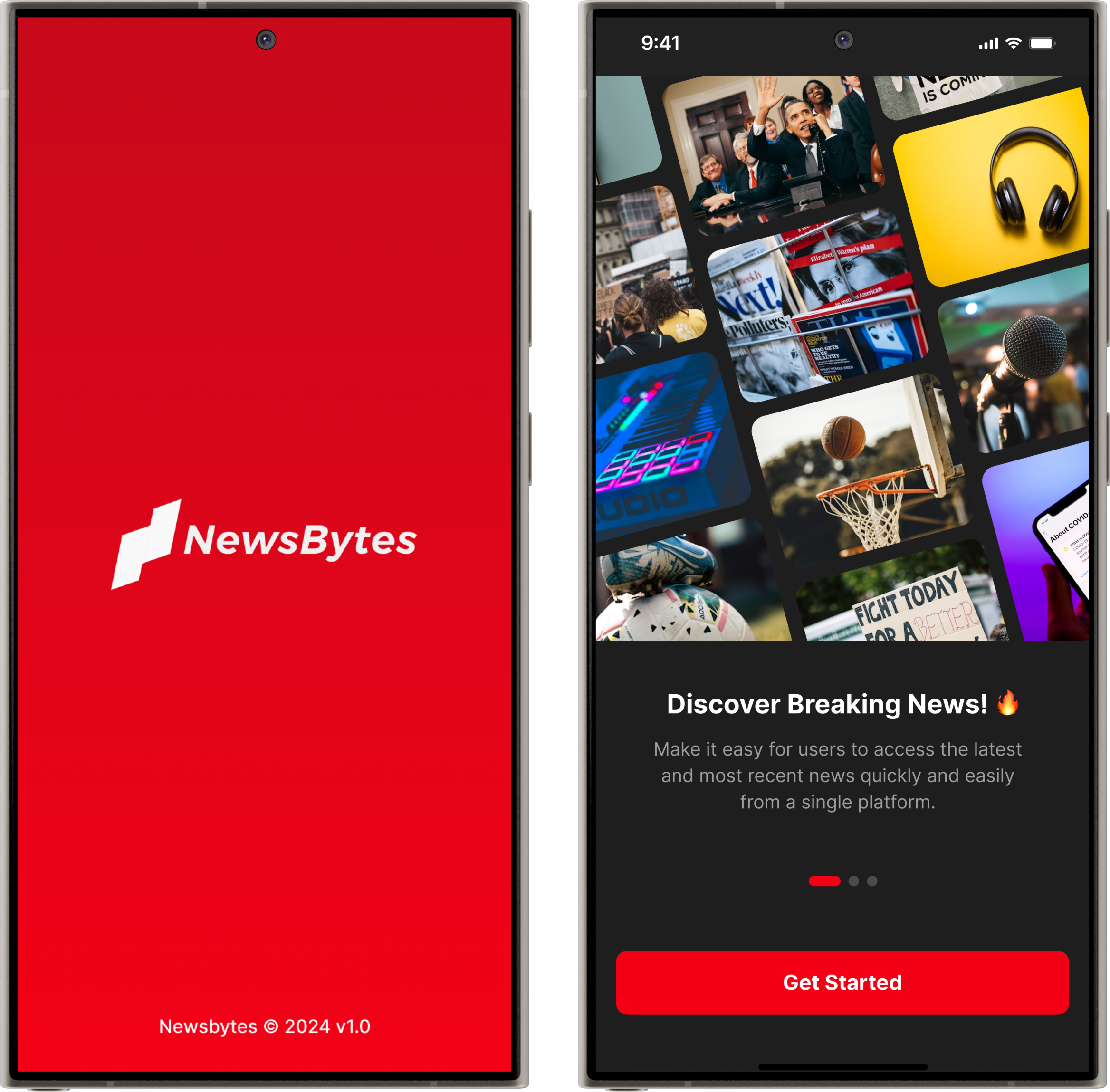
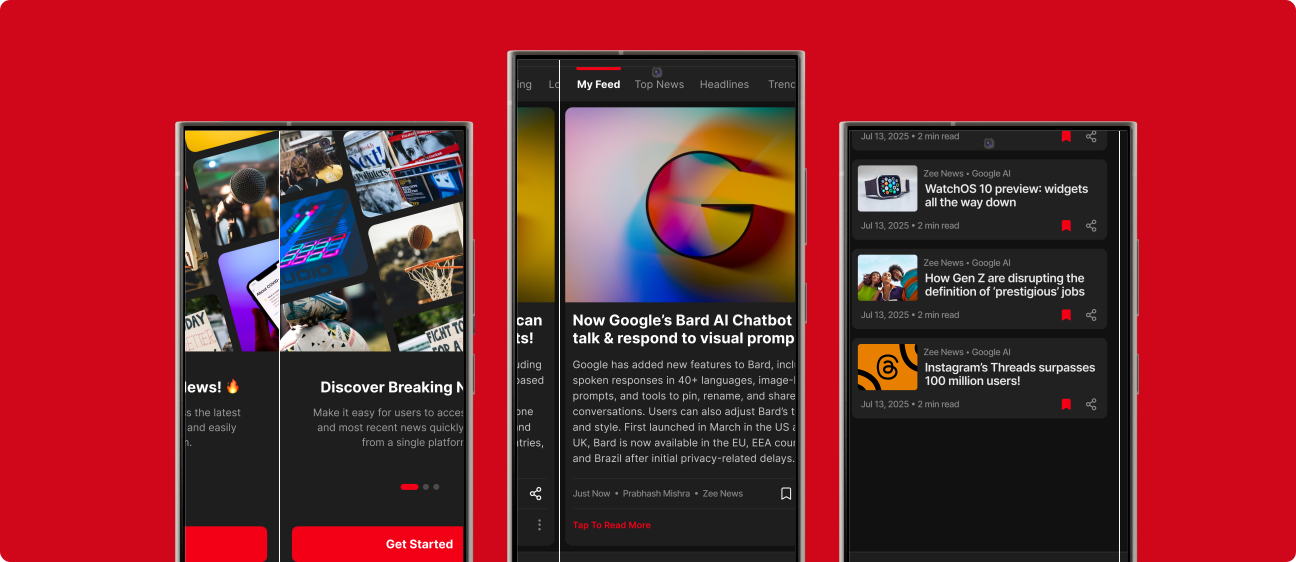
I designed an engaging splash screen and Introduce new onboarding flow to educate new users about key features, helping them connect with the app instantly.

Visual Design
Visual Design
PART 2

Home Page & Details

Visual Design
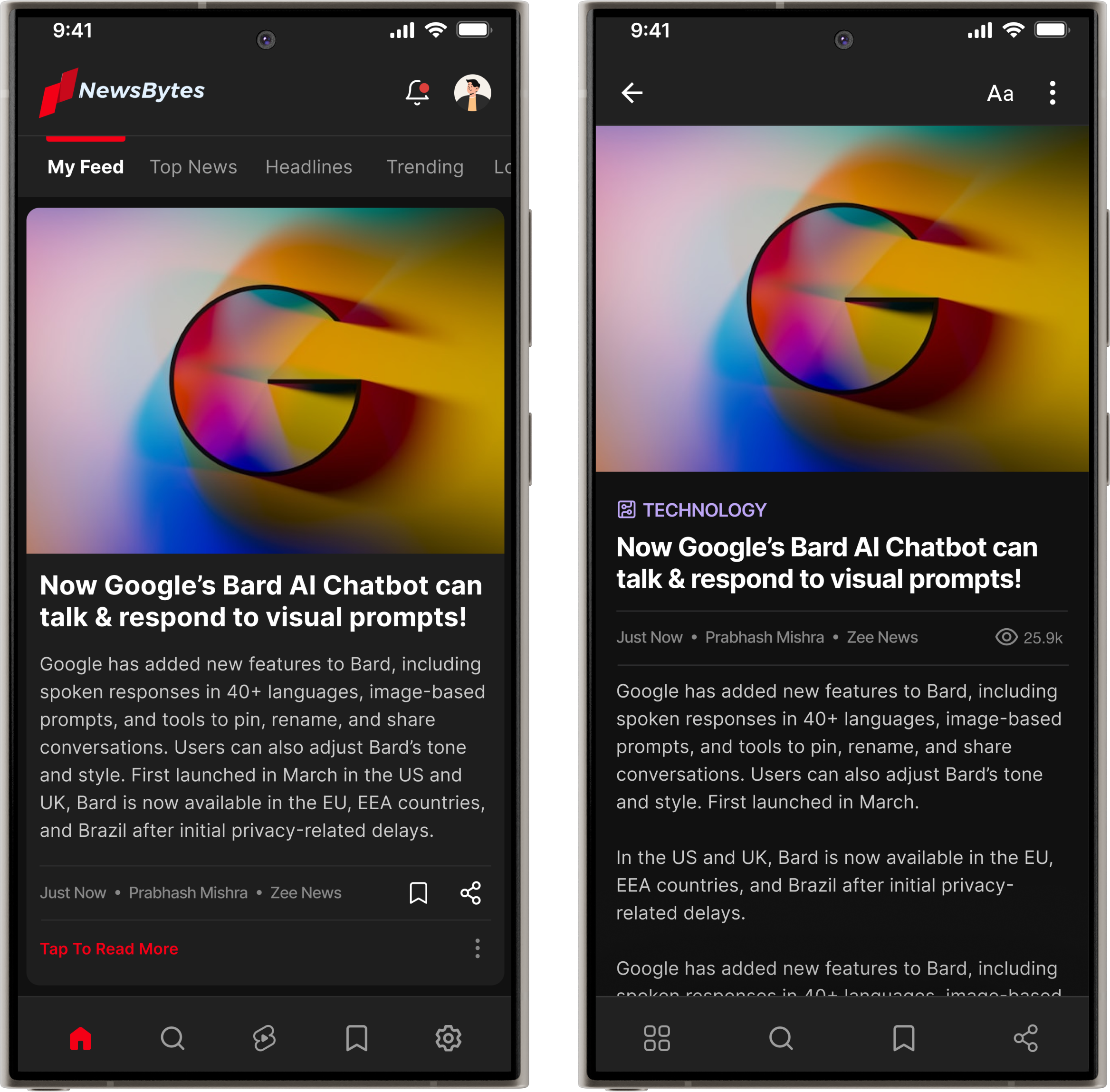
  • Redesigned the home page with a clear logo and strong visual hierarchy for a better reading experience.
  • Solved the issue of limited content by enabling full-article reading instead of 60-word snippets.
  • Improved navigation, allowing users to move easily and access all features seamlessly.
  • On the detail screen, users can adjust font size and easily navigate, save, and share their favourite news.
  • Based on user interviews, I introduced vertical swipe navigation—aligning with familiar app behaviors—to make news discovery smoother and more engaging.
PART 3

Search, Bookmark & Category

Visual Design

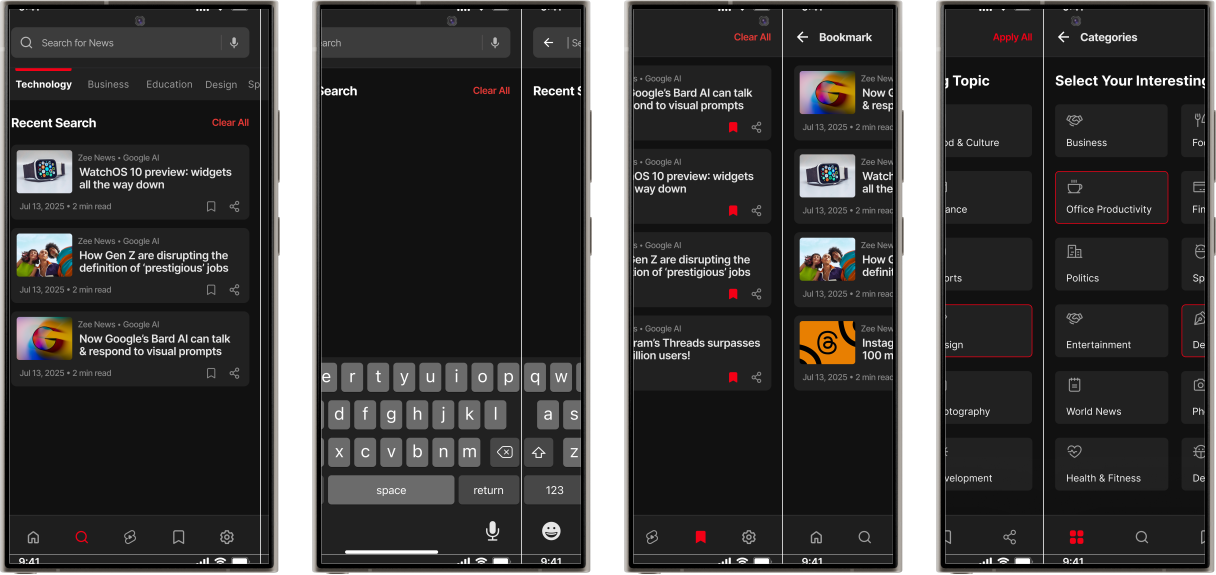
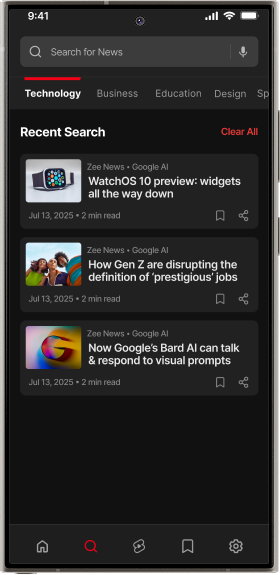
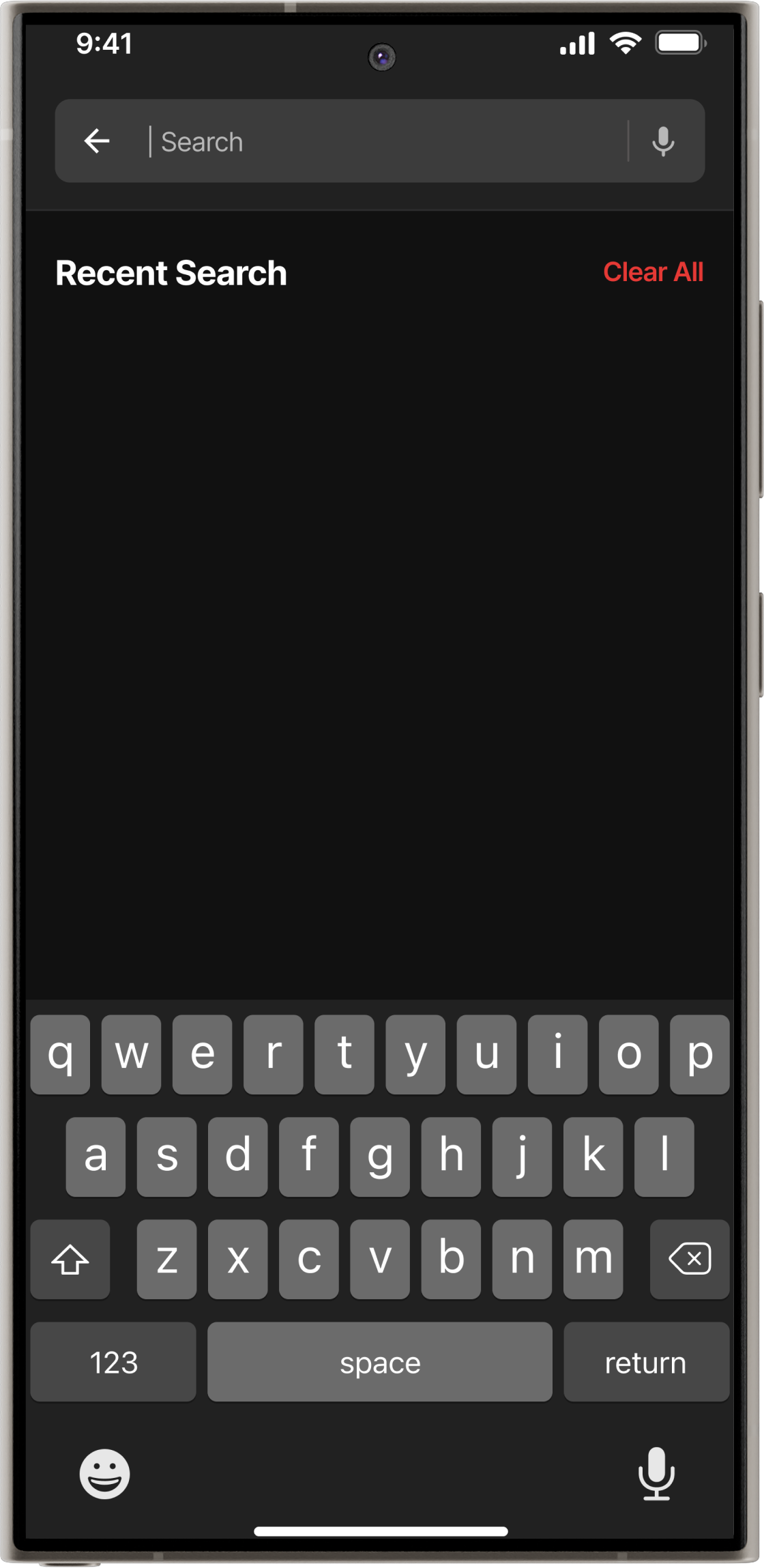
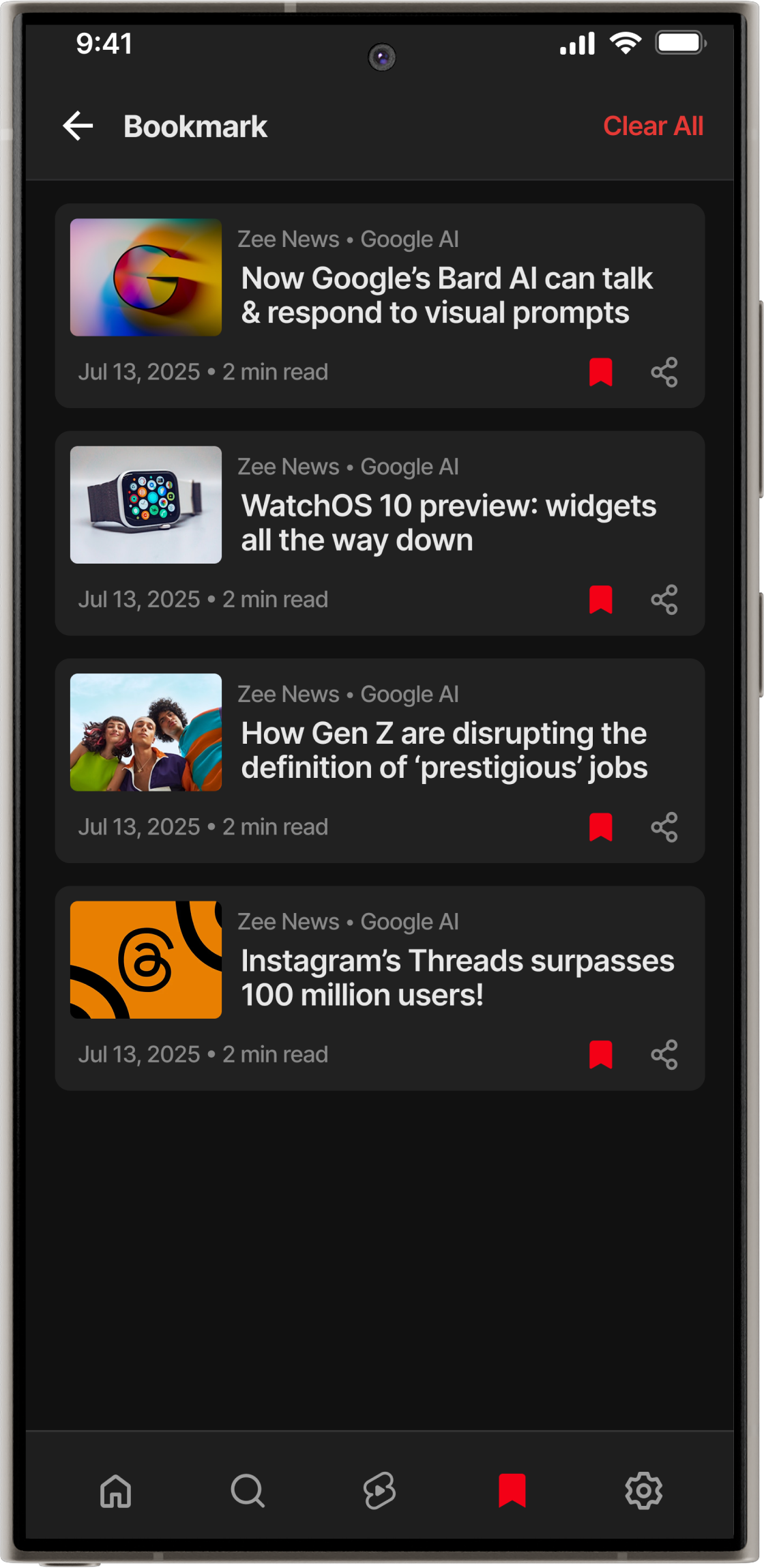
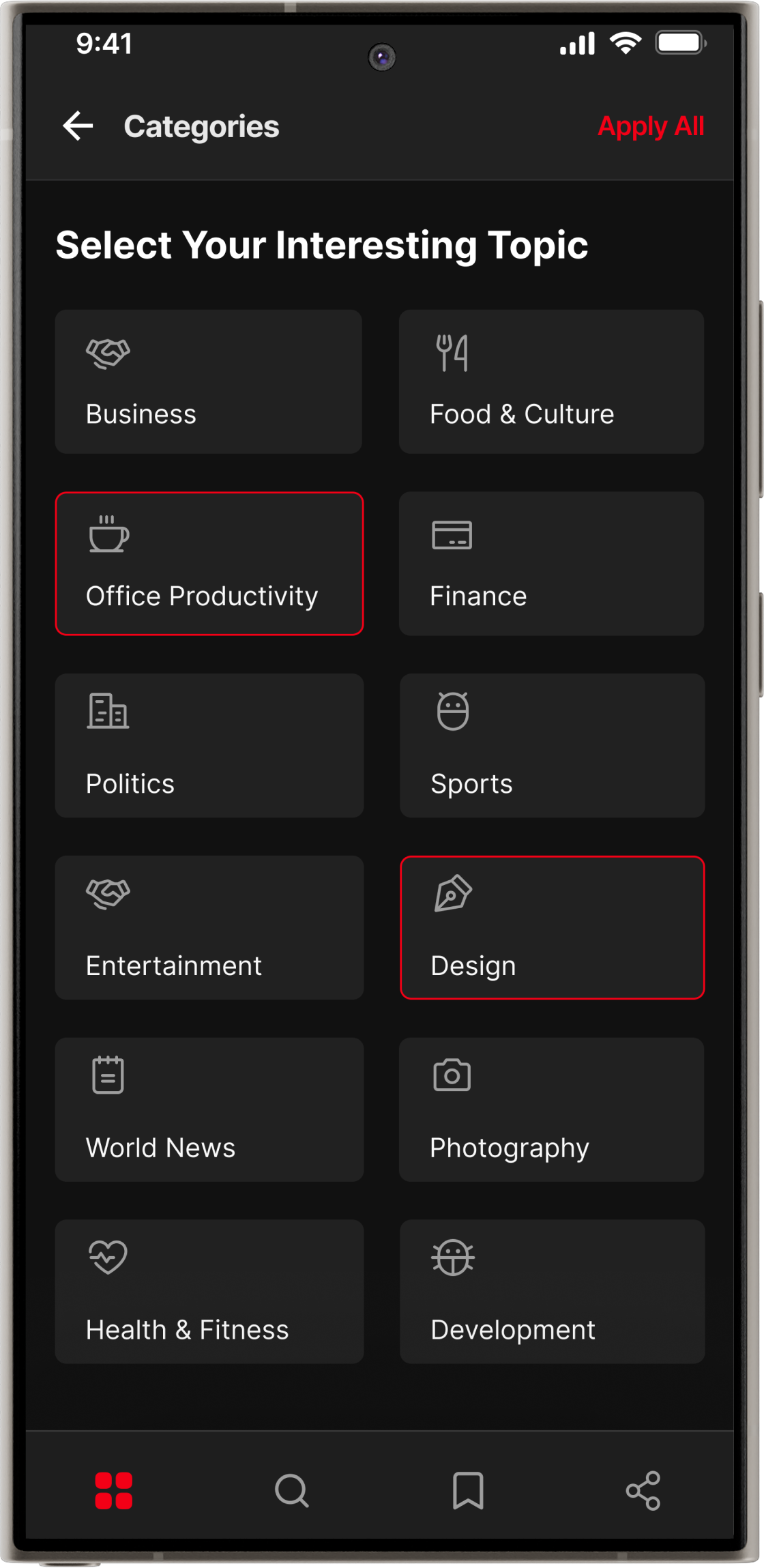
Solved the search experience using the “Recognition over Recall” heuristic with recent searches feature with proper category, added a clear and easy-to-manage bookmark list, and introduced a simple category screen for quickly selecting favourite topics.

Visual Design
Visual Design
Visual Design
Visual Design
PART 4

Video Shorts & Share

Visual Design
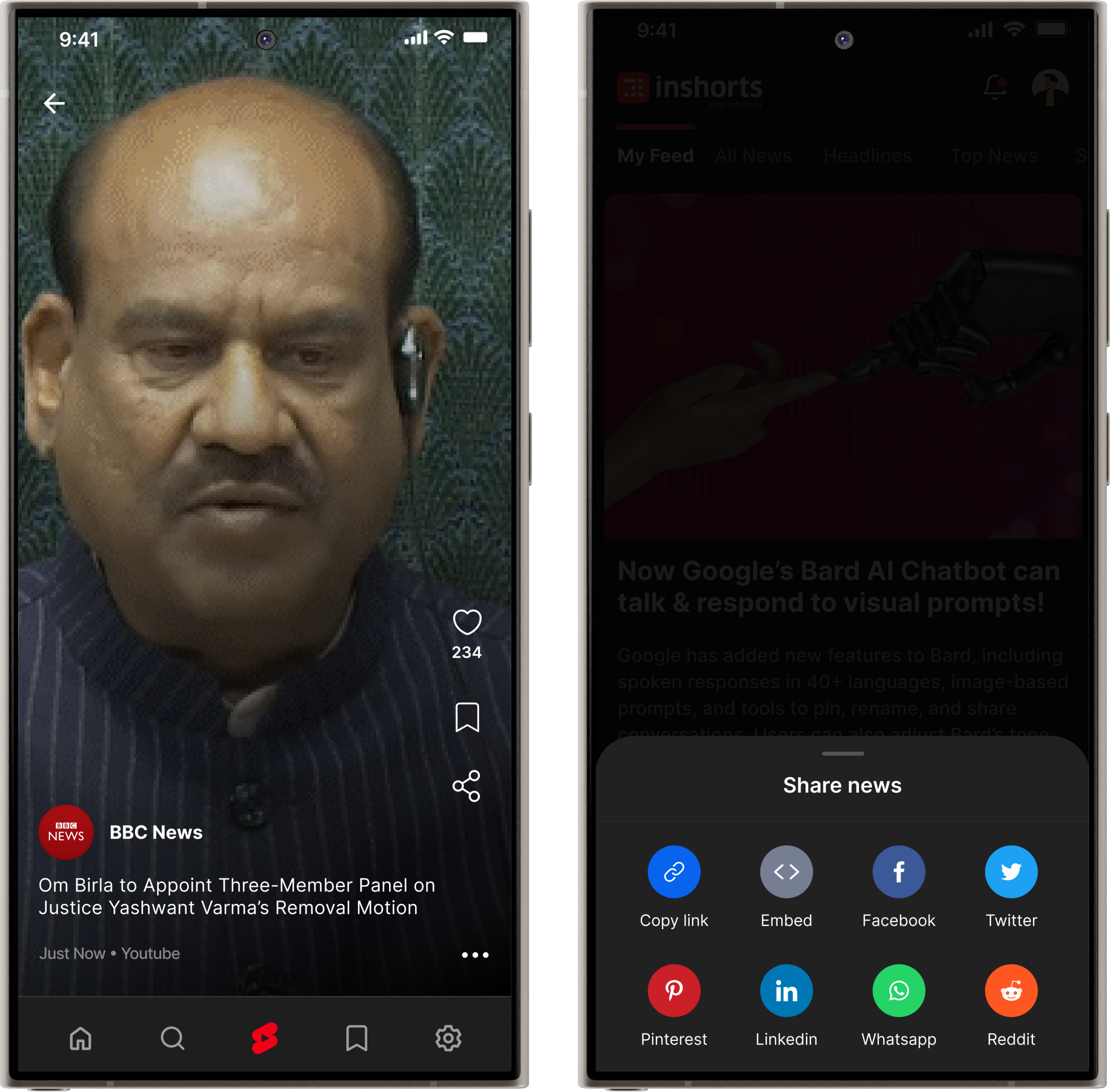
  • Introduced a new short-video feature that allows users to consume news in a video format.
  • Users can like, save, share, or report news based on their preferences.
  • Users can easily share news across all social media platforms.
Visual Design
Visual Design
PART 5

Settings

Visual Design
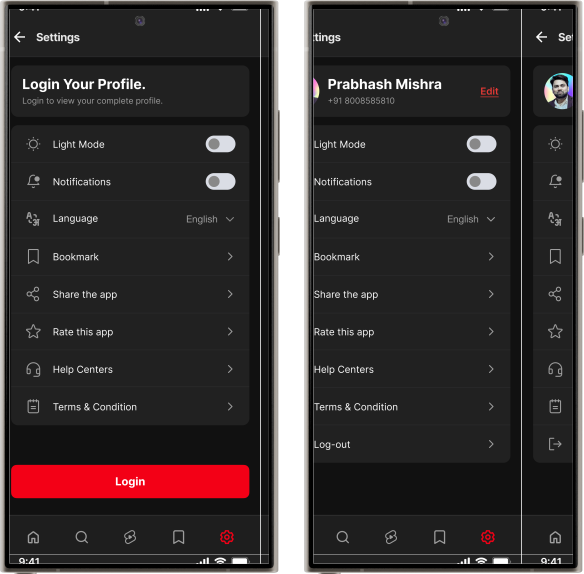
  • Improved the settings screen to make it easily accessible, allowing users to navigate and update preferences effortlessly.
  • Introduced multi-language support, allowing users to easily choose their preferred language.
  • Improved and standardised icons using the design system for visual consistency.

Prototyping

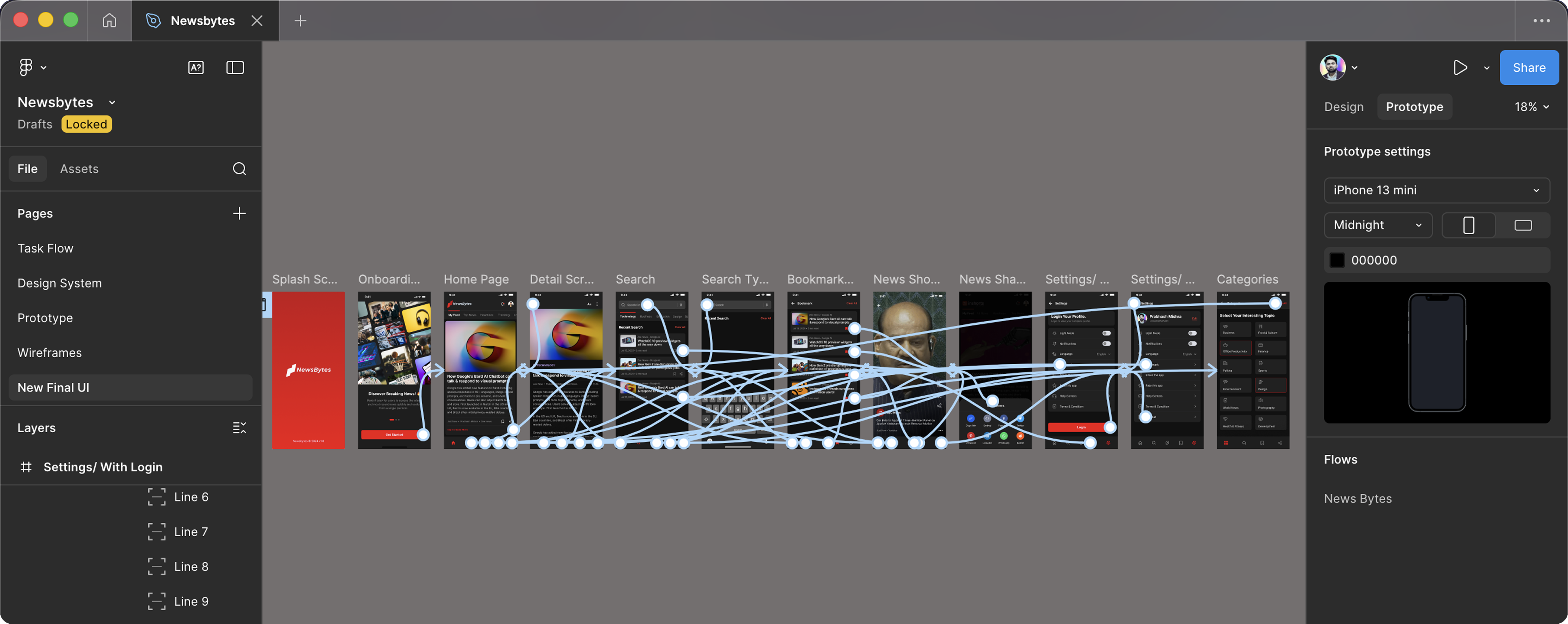
Created interactive prototypes to validate flows, interactions, and overall usability.

img

Usability Testing

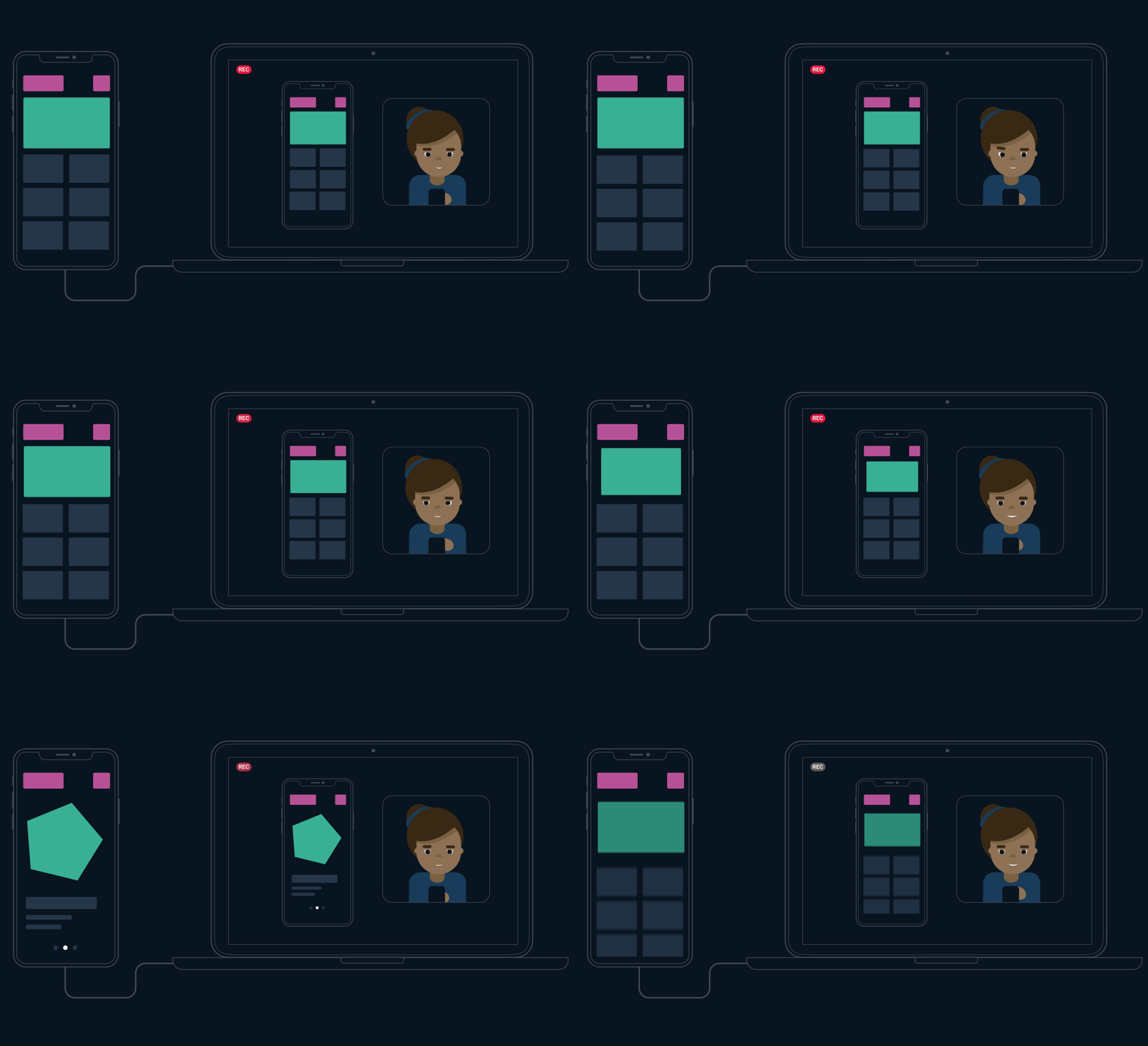
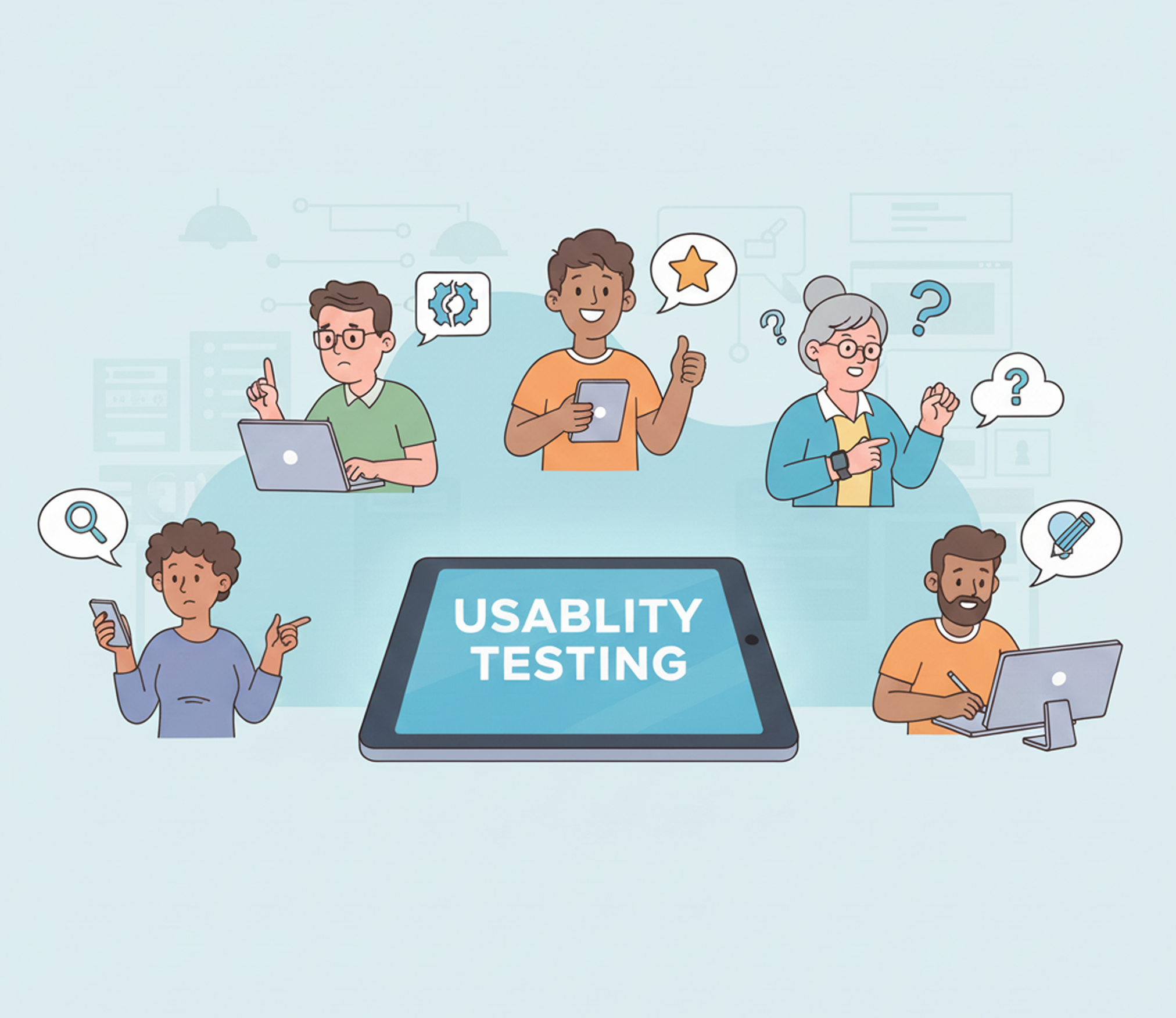
I conducted usability testing to validate user behavior, identify friction points in the reading flow, and ensure the overall experience was intuitive, engaging, and aligned with real user expectations.

img

👥 Participants

No of users tested

5

Age Group

18-60

Device type

Android and iOS Phones

Date

DD/MM/YYYY

User Types

Students, Working, Retired

Frequency of News Consumption

At least once a day

🔍 Methodology

  • Test Type : Moderated 1:1 usability sessions (conducted via Google Meet & in-person)
  • Duration : 10–15 minutes per user
  • Tools Used : Screen recording, observation notes, Figma prototype reference
  • Environment : Users interacted with the prototype link of new NewsBytes app design.

🧭 Tasks Given to Participants

  • Open the app and locate today’s top headlines.
  • Swipe up/down the news card and read the news.
  • Read a detailed article.
  • Bookmark or save an article for later reading.
  • Go for video/news shorts section and explore the news.
  • Choose a new news categories.
  • Share a news article with a friend via WhatsApp or instagram.
  • Change language from settings.
  • increase text size on the detail screen.
participate_img

Testing Feedback

Usability testing was conducted comprehensively across all aspects of the product, and user feedback was highly positive. All assigned tasks were completed easily by users without any external guidance or assistance.

Usability testing showed that users could easily find top headlines, navigate the feed using swipe interactions, and comfortably read full articles with adjustable text size. Key actions such as saving, sharing, exploring video shorts, switching categories, and changing language were completed smoothly. Overall, users described the experience as clean, intuitive, and enjoyable for daily news consumption.

Conclusion & Final Thoughts

The NewsBytes redesign successfully transformed the app into a cleaner, more intuitive, and user-focused news experience. By improving navigation, readability, and content depth, and introducing features like full-article reading, video shorts, multi-language support, and personalised categories, the app now supports both quick and immersive news consumption.

NewsBytes is currently in progress, as development is ongoing and several new features are being implemented to further enhance the overall user experience.

Thanks for watching